Chat Companion - AI assistant for Blender
Use ChatGPT, Claude, Gemini, or local models (Ollama, LM Studio) directly inside Blender. Code completion, voice answers, right-click UI help.
One-time purchase · Free updates · Blender 3.3 → 5.0
Leaving Blender to ask an AI breaks your creative flow
You switch to the browser. Copy the error. Paste the script. Read. Switch back. Paste. It fails. Switch back to the browser. Multiply that by 20 times a day..
Constant context switching
Alt-tab between Blender and the browser kills your focus every few minutes.
Copying errors by hand
Pasting tracebacks from the console and pasting the fix back is pure friction.
"What does this button do?"
Digging through docs for every unfamiliar modifier or node slows you down.
Four live demos straight from Blender
No edits, no speed-up — these are real captures of Chat Companion at work.
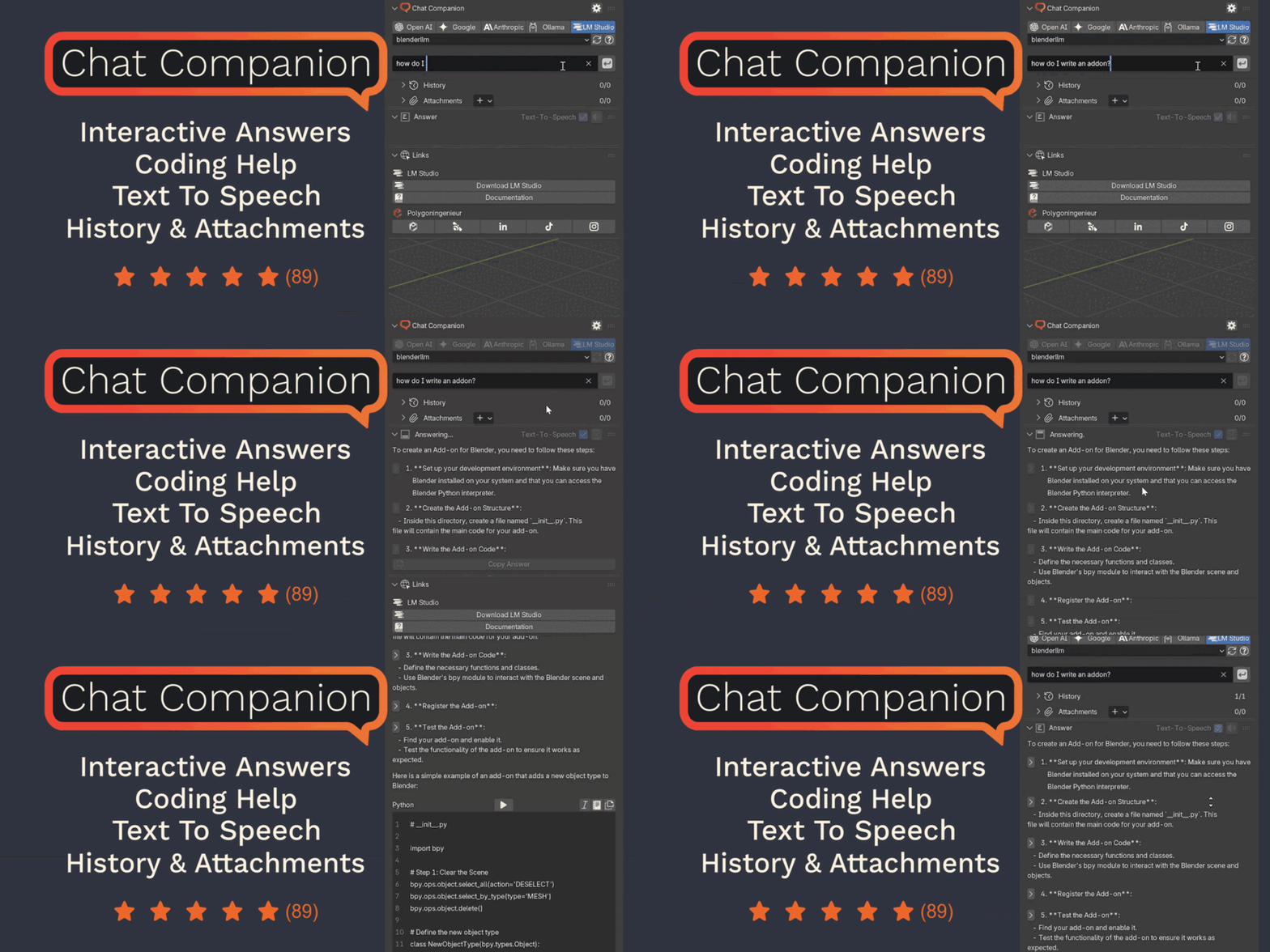
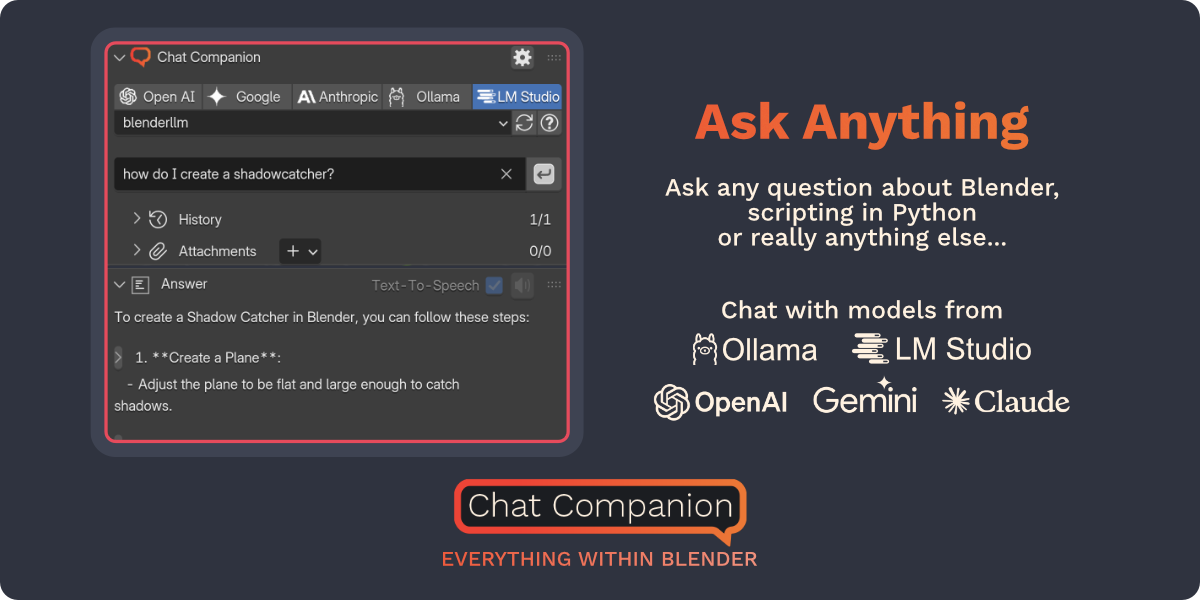
One panel. Switch model in one click.
Type your question in the N-panel and pick OpenAI, Google, Anthropic, or your local model from the tabs above. No browser, no copy-paste, no lost focus.
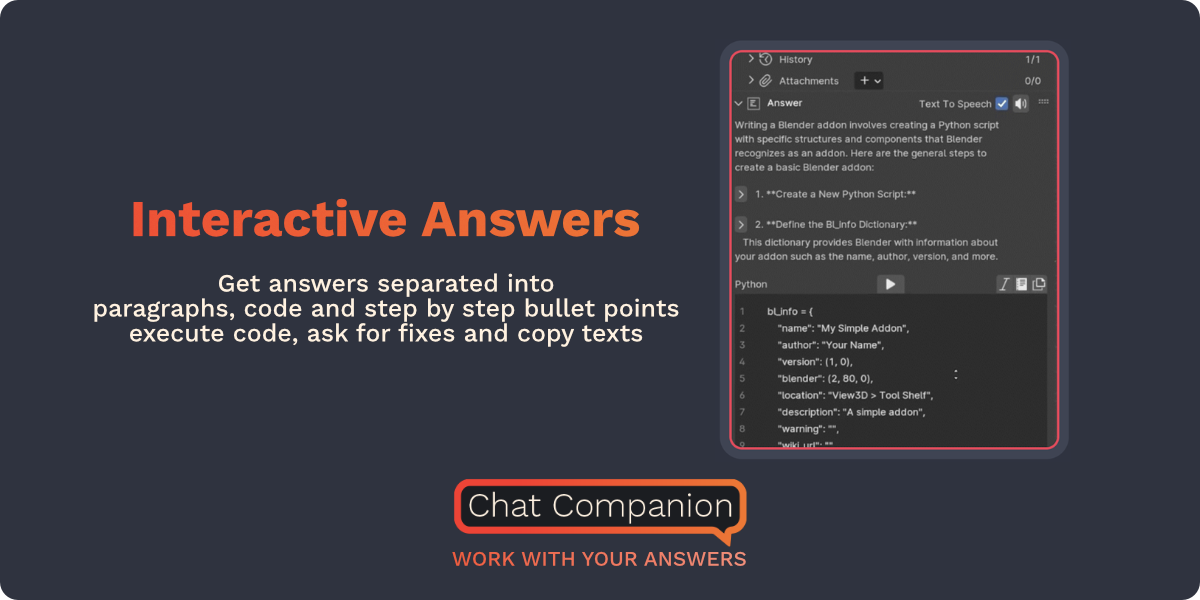
Structured answers with runnable code
Ask a Blender question and get a step-by-step response — collapsible sections, plain-language explanations, and a Python block you can execute right inside the panel.
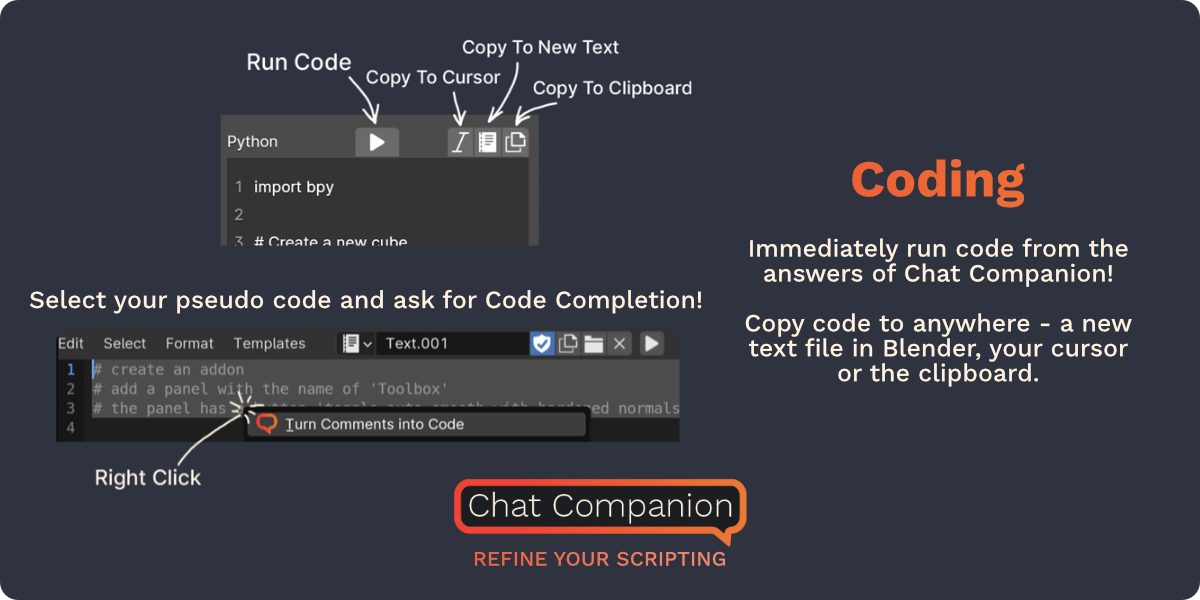
From plain comments to a working addon
Write what you want as a list of comments in Blender’s text editor. Select them, send to Chat Companion, get back the full bpy script — ready to run.
Pick exactly what context the AI sees
Write what you want as a list of comments in Blender’s text editor. Select them, send to Chat Companion, get back the full bpy script — ready to run.
Four live demos straight from Blender
No edits, no speed-up — these are real captures of Chat Companion at work.
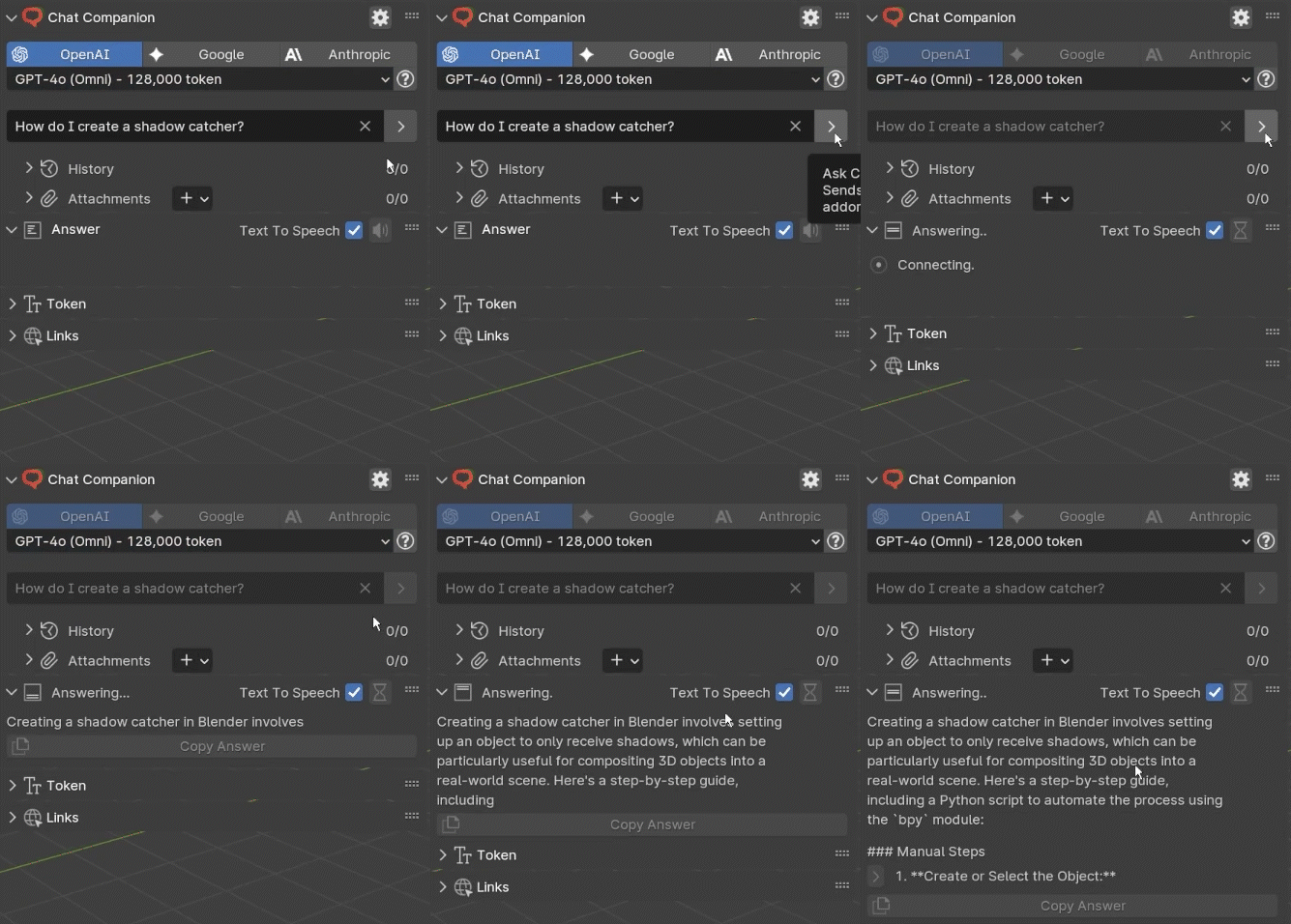
Type your question in the N-panel and pick OpenAI, Google, Anthropic, or your local model from the tabs above. No browser, no copy-paste, no lost focus.
One panel. Switch model in one click.
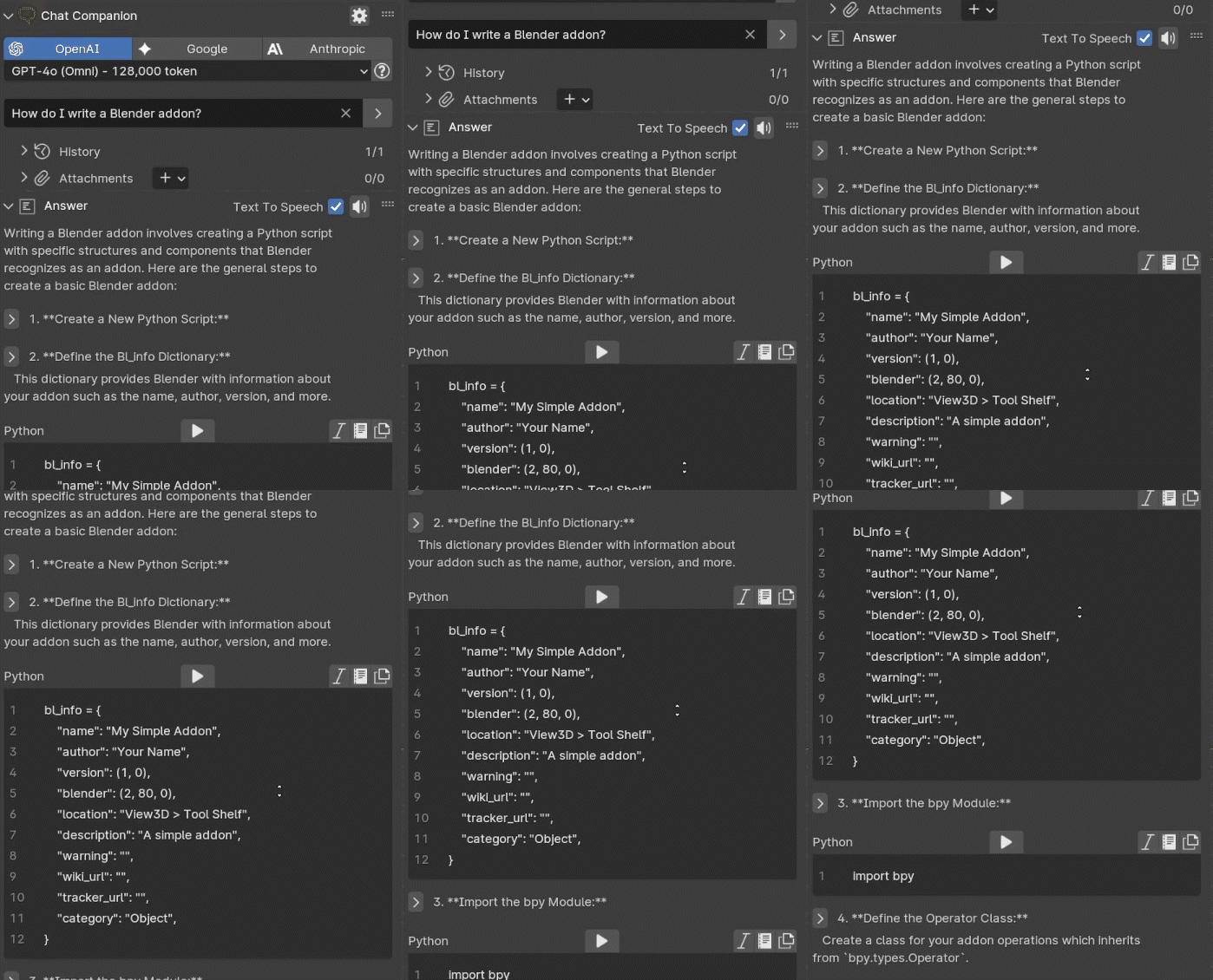
Structured answers with runnable code
Ask a Blender question and get a step-by-step response — collapsible sections, plain-language explanations, and a Python block you can execute right inside the panel.
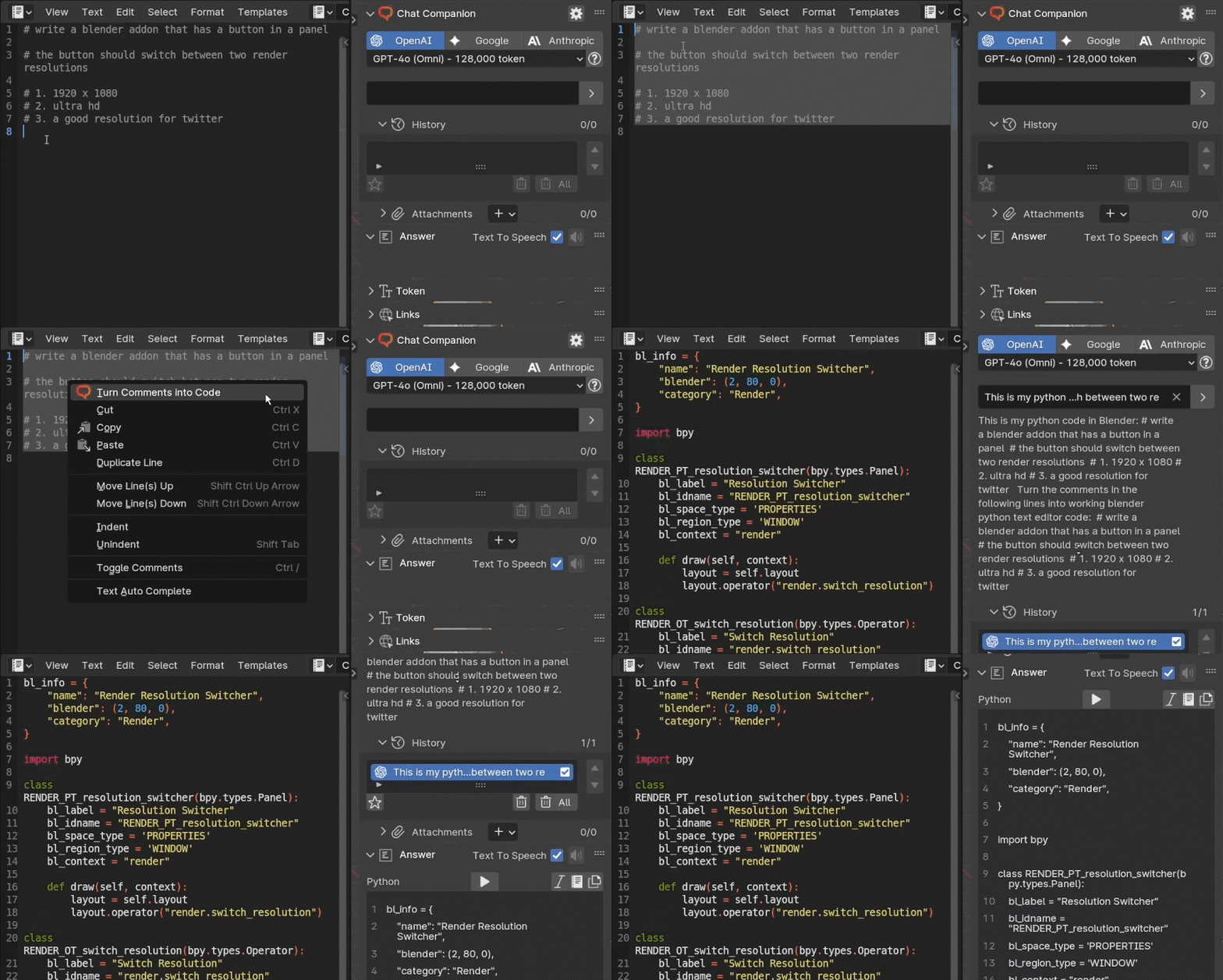
From plain comments to a working addon
Write what you want as a list of comments in Blender’s text editor. Select them, send to Chat Companion, get back the full bpy script — ready to run.
Pick exactly what context the AI sees
Write what you want as a list of comments in Blender’s text editor. Select them, send to Chat Companion, get back the full bpy script — ready to run.
One tab. Any model. All inside Blender.
Ask anything
About Blender, Python bpy, or anything else. Structured answers every time.
Run code instantly
Hit Run and it executes. If it fails, one button asks for the fix.
Free local models
Ollama or LM Studio: no API key, no tokens, nothing leaves your machine.
Built to keep you in the flow
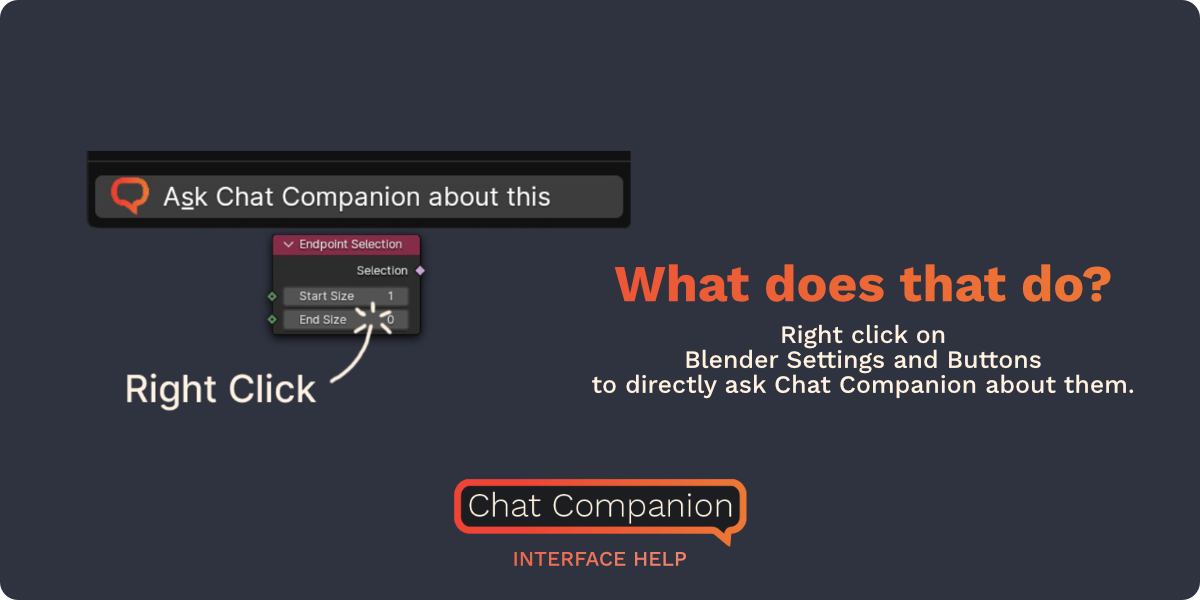
Right-click = "what does this do?"
Ask directly about any button, node or setting in Blender's UI.
Code completion for bpy
Select pseudocode or comments in the text editor and the AI writes the script.
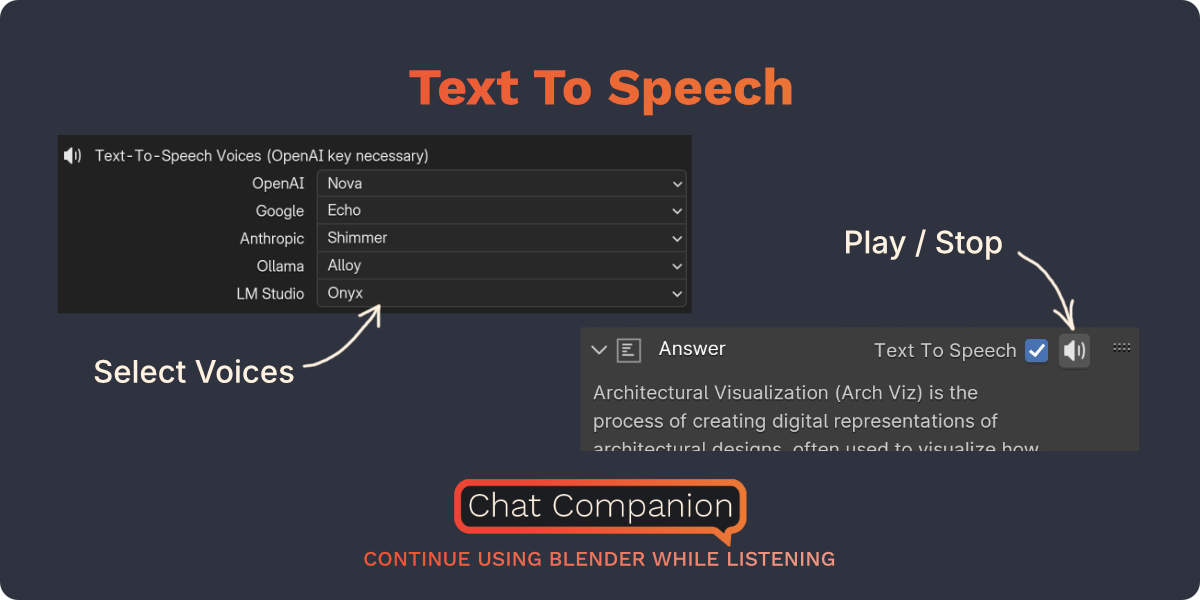
Built-in text-to-speech
Listen to answers while you keep modeling, with voice selection included.
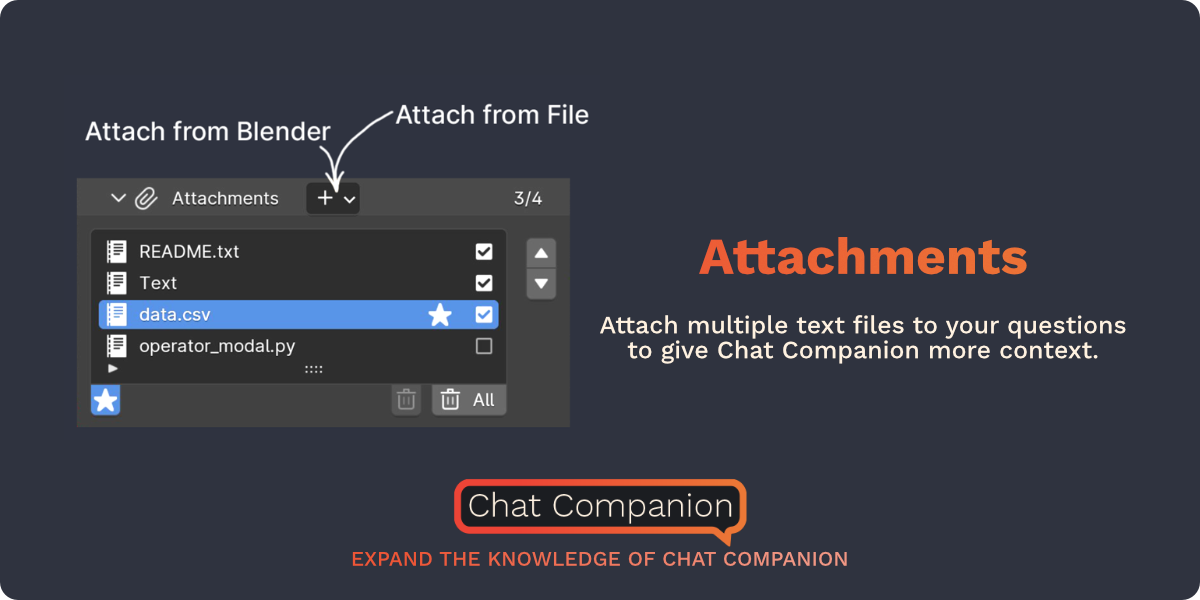
Attach files to your prompt
Pass .py scripts, logs or notes to give the AI real context.
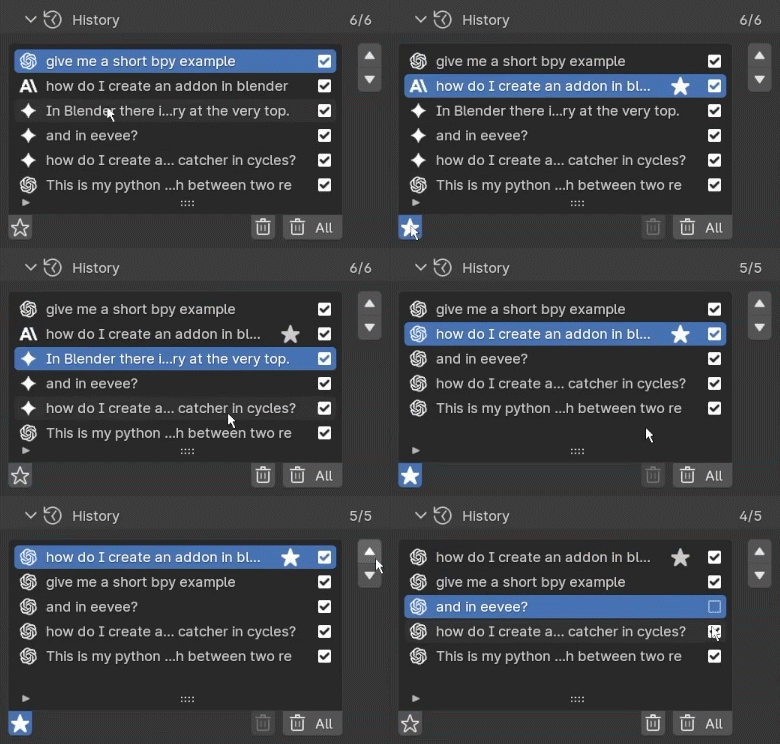
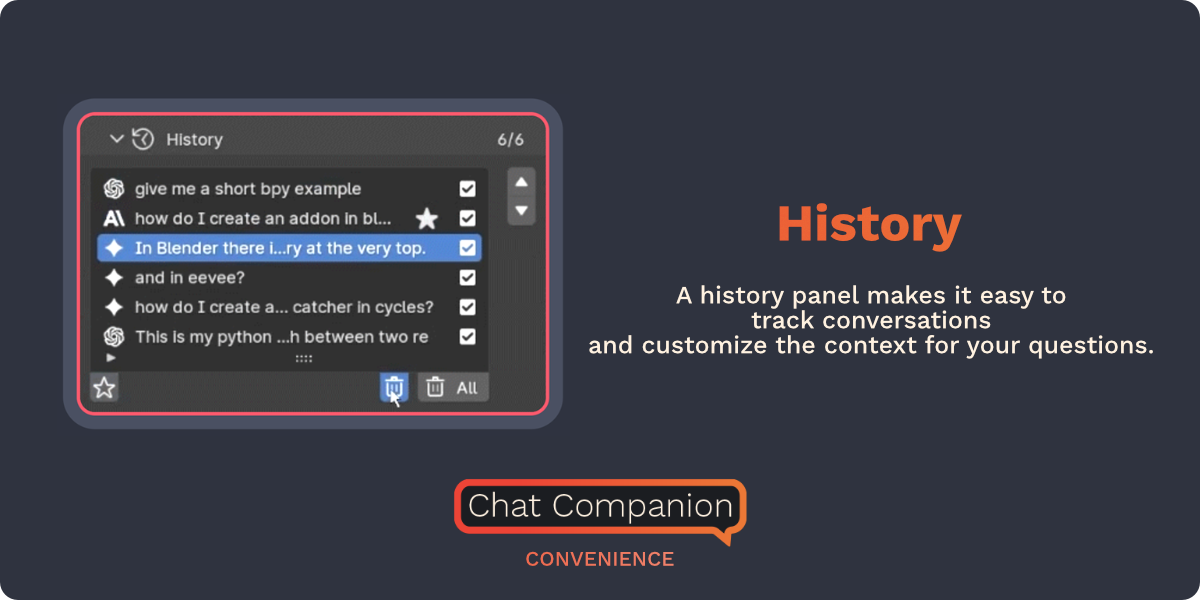
Reorderable history
Star favorites, remove noise, control which context goes into the next prompt.
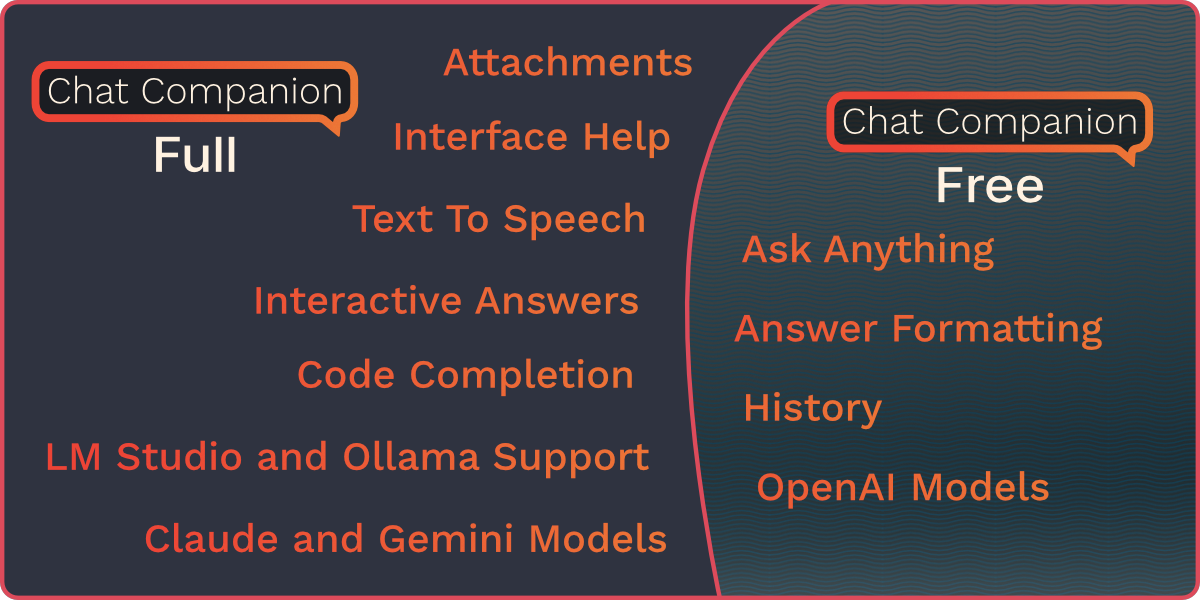
15+ models available
GPT-5, Claude Opus 4.5, Gemini 3 Pro Preview, or free local options.
A live, maintained, loved addon
25+
Updates shipped
since 2023
4.9
Average rating on
Superhive
15+
AI models supported
3.3→5.0
Blender versions
supported
One purchase. Free updates forever.
One-time payment on Superhive Market
Everything Chat Companion can do, plus every future feature ever shipped.
- Everything in Free
- All providers: OpenAI, Anthropic, Google
- Ollama + LM Studio (free, local, no API key)
- Right-click any UI button to ask AI
- Code completion from pseudocode
- Text-to-speech with voice selection
- Attach files (.py, .txt, .csv) for context
- Reorderable history with favorites
- "Fix this error" one-click button
- All updates forever (advanced included)
Get the core chat workflow inside Blender — no card, no API key (with local models)
- Chat with AI inside Blender's N-panel
- OpenAI provider (ChatGPT models)
- Run generated code in scene
- Basic history of conversations verify
- Direct support from the developer
Frequently asked questions
Yes. Compatible from Blender 3.3 LTS up to Blender 5.0. Every new LTS gets support within weeks of release.
Not required. With Ollama or LM Studio you work fully free and offline. For cloud models, you add your own API key once.
No. Your data travels directly between your Blender and the provider you choose. With local models, it never leaves your machine.
Yes. Purchase includes all future updates. 25+ versions have shipped since 2023, all free for existing customers.
Zero context switching, right-click on Blender's UI to ask about any button, and direct execution of generated code in your scene.
Stop switching windows. Start creating.
Join the artists and developers who already have AI built right into Blender.